
Launch and improve
Launch your ads to Facebook and Instagram
Send ads made in AdPlay.ai to your Meta ad account: the Launch button on an ad, Launch ads on Campaigns, or download and set them up in Ads Manager.
Updated November 2026 · AdPlay.ai Team
Open the ad in AdPlay.ai and click Launch. Launch by hand opens, where you pick the campaign, ad set, budget, Facebook page and pixel, then send the ad to your Meta ad account. On Pro and above, Launch ads on the Campaigns page lets Copilot set up the launch as one card you approve. You need a connected Meta ad account, the Owner, Admin or Ad Manager role, and a paid plan or a free trial that is still running.
Use this when your ads are made and checked, and you want them running on Facebook and Instagram. AdPlay.ai sends them straight to your own Meta ad account, so you do not rebuild anything in Ads Manager.
Before you start
- Your Meta ad account is connected. If not, see Connect your Meta ad account. If you click Launch without one, the Connect Meta window opens first.
- You are an Owner, Admin or Ad Manager on the team. Other roles see "You need the Owner, Admin, or Ad Manager role to launch ads".
- You are on a paid plan, or your free trial is still running.
Launch one ad from its page
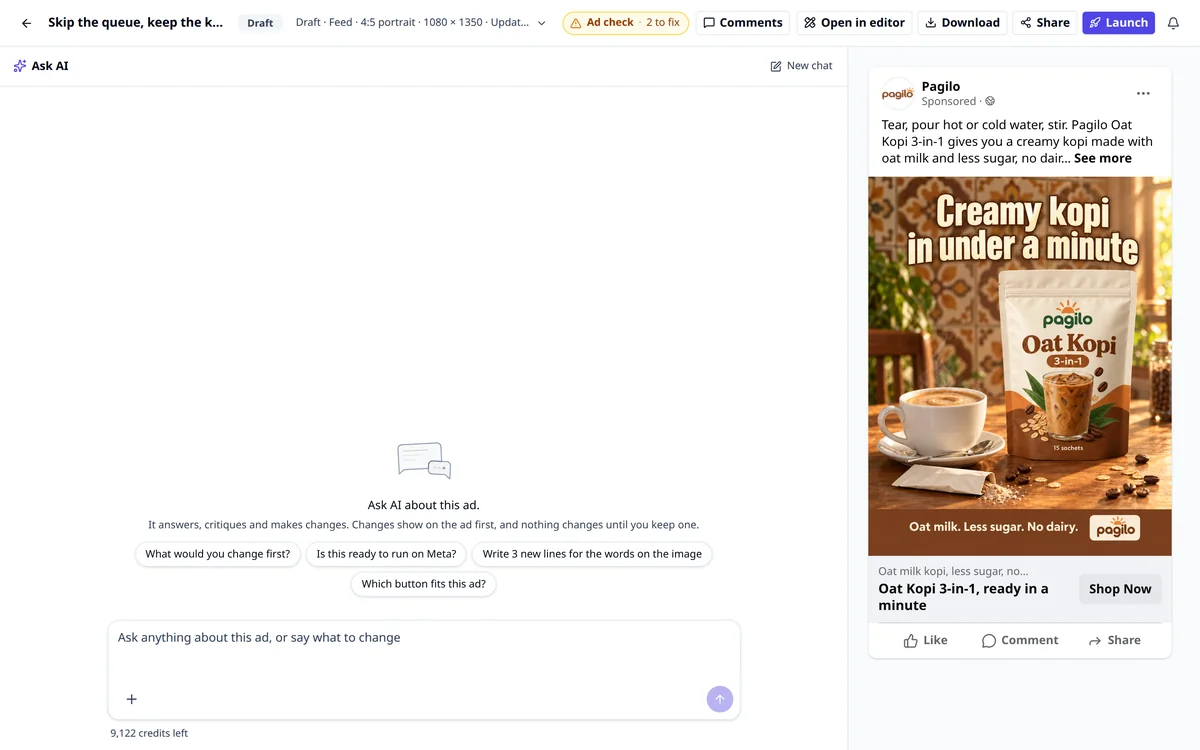
- Open the ad from Ads in the sidebar. If the Ad check at the top of the page lists things to fix, fix them first. It reads No issues found when the ad is ready.
- Click Launch at the top of the page. Launch by hand opens with this ad already in it.
- Optional: in Set up with AI, click Suggest setup and say what the launch is for. It fills in the budget, audience and destination. You still review every field.
- Under Preset, pick Testing for new ads, Scaling for proven winners, or Custom to set everything yourself. Learn more explains each one.
- Under Campaign & Ad set, choose an existing campaign and ad set, or make new ones and set the budget. Turn on Go live immediately to start the ads once Meta approves them. Leave it off and they start paused.
- Under Identity, pick the Facebook page the ad runs under. This one is required.
- Under Ads, check each ad's text. Every ad needs its primary text and headline. If one is missing, the row says so and links to the ad's page. Add another ad puts more ads in the same launch.
- Under Destination, enter the URL people go to and pick a Call to Action button. Both are required.
- Under Tracking, pick your Facebook pixel. Add URL parameters if you track links.
- Click the button at the bottom. It reads Create ad when the ad starts paused, or Launch ad when it goes live (Create 3 ads or Launch 3 ads for several). If a field is missing, the line beside the button reads Still needed: and names it.
When it finishes, you land on Campaigns, on the All campaigns tab, where the new campaign shows.
Launch several ads at once
- On Campaigns, click Launch ads at the top. On the free trial it reads Launch your 2 trial ads.
- Below Pro, this opens Launch by hand on a grid of your ads. Tick the ones you want, click Continue, then fill in the same sections as above.
- From the Ads list, the menu on any ad also has Launch Ad.
Let Copilot set up the launch (Pro)
On Pro and above, Launch ads on Campaigns opens a picker instead of the form.
- The picker shows the ads made in AdPlay.ai that are not running yet. Your 5 newest are already picked, and 5 is the most for one card. Filter by All, Images or Videos.
- Click Make a launch card. Copilot adds a card to To do. Nothing goes live until you approve it.
- Open the card. It shows each ad as Facebook shows it. Open Change the ad's words to edit the Main text, Headline and Description. Click Edit settings to change the daily budget, the Button or the Facebook Page.
- Tap the card's button, for example Launch 3 ads. You can undo it for 7 days.
Launch by hand offers the same thing: on Pro, a line reads "Copilot can set this up for you. You approve one card", with Launch with Copilot. Read Run your ads with Copilot for how cards work.
Set it up yourself in Ads Manager
You can always set the ad up yourself in Meta:
- On the ad page, click Download. You get the ad's pictures.
- Copy the post text and headline from the ad preview on the same page.
- In Meta Ads Manager, create the campaign, ad set and ad, and upload the pictures.
This takes longer. Our campaign setup guide covers each Ads Manager screen.
After you launch
Meta reviews every ad before it runs. Meta says most reviews finish within 24 hours. Try not to edit an ad while it waits, because an edit can send it back to review. Read Facebook ad stuck in review if it takes longer.
Once the ads run, your numbers show on Campaigns and in Insights.
Common mistakes
- The wrong Facebook page. If you manage more than one Page, check Identity every time.
- No pixel for a sales goal. Without the pixel, Meta cannot count purchases. See Connect your Meta ad account.
- One ad only. Launch two or three ads from different ideas in one ad set, so Meta can compare them on the same days. The course lesson on campaign structure explains why.
- A budget too small to learn. The lesson on budget and the learning phase shows how to size it.
What to do next
Your ads are on Meta. Next, see how Copilot watches them every morning and suggests what to change.
Frequently asked questions
Which plan do I need to launch ads from AdPlay.ai?
Launch by hand works on every paid plan and during the free trial. Launching with Copilot needs Pro or above. After the trial ends, nothing new can be sent to your ad account until you pick a plan.
Do my ads go live the moment I click?
Only if you choose it. In Launch by hand, the Go live immediately switch decides. It is on for the Scaling preset and off for Testing and Custom, so those ads start paused. Meta then reviews each ad before it runs.
Can I launch ads without AdPlay.ai?
Yes. Click Download on the ad page, copy the post text and headline from the preview, and create the ad yourself in Meta Ads Manager.
How many ads can Copilot launch on one card?
Up to 5. The Launch ads picker selects your 5 newest ads that are not running yet, and you can change the picks.
Sources
Keep exploring
Turn ad research into winning ads
See what 16,000 Malaysian brands advertise, then generate on-brand creative, all in one tool.
7-day free trial · No credit card required