
How to Run a Facebook Ad in 2026: Step by Step
A clear, up-to-date walkthrough of running a Facebook ad in 2026: choose an objective, set budget and audience, build the creative, publish, and read what to make next.
Updated June 2026 · Likit Sae Lee, CTO
To run a Facebook ad in 2026, set up a Meta Business account and an ad account, install the Pixel and Conversions API for tracking, then build a campaign in three levels: pick an objective (Sales for most ecommerce) at the campaign level, set the budget, audience, and placements at the ad set level, and add the creative at the ad level. Publish for review, and Meta approves most ads within about 24 hours. Its AI delivery system (Andromeda retrieval plus Advantage+) then finds the audience for you, so the variable that decides whether the ad works is the creative itself: the hook, the format, and how often you test fresh versions. This guide walks the full setup in Meta Ads Manager, then shows where the real leverage sits.
Running a Facebook ad, your first or your five-hundredth, comes down to the same sequence: tell Meta what you want the ad to achieve, who should see it and for how much, then give it a piece of creative worth showing. The platform runs the auction and handles delivery. What separates ads that perform from ads that quietly drain a budget is rarely the targeting, which Meta now automates more every year, and almost always the creative. This guide walks the full setup in Meta Ads Manager as it works in 2026, then shows where the real leverage sits: making and testing better creative, faster.
What you need before you launch
Three things have to exist before a single ad goes live. First, a Meta Business account (set up at business.facebook.com), which holds your assets and billing. Second, an ad account inside it, connected to the Facebook Page, and ideally the Instagram account, the ads will run from. One gotcha worth knowing here: the ad account's currency and time zone are set when you create it and cannot be changed later, so pick them deliberately before you spend a cent. Set the currency to the one you actually sell in from day one, because every budget, bill, and report that follows reads in whatever currency you choose here. Third, a way to measure results: the Meta Pixel on your site plus the Conversions API, which together tell Meta who bought so it can find more buyers, and tell you what actually worked.
The tracking step is the one people skip and later regret. Set it up in Events Manager, where you create the Pixel, drop its snippet on your site (or connect it through your store platform), and define the standard events that matter to your funnel. For an ecommerce store the usual set is ViewContent, AddToCart, InitiateCheckout, and Purchase, plus Lead for a sign-up. Each event reports a value and currency, which is what lets Meta optimize toward revenue rather than raw clicks. Confirm the events fire before you launch: the free Meta Pixel Helper browser extension shows which events trigger on each page, and the Test Events tab in Events Manager replays your own checkout in real time so you can watch a Purchase land.
The Conversions API is the second half of this, and in 2026 it is no longer optional. The browser Pixel loses signal to ad blockers, cookie restrictions, and iOS limits, so a server-side feed of the same events (sent from your store backend, deduplicated against the Pixel by a shared event ID) keeps the data flowing when the browser drops it. That durability matters more every year, because Meta's delivery leans on conversion signal to find buyers. Without clean events, the system optimizes half-blind and your reports cannot tell a winning ad from a lucky one. Wire it once, confirm both the browser and server events register, and the system finally has something real to learn from.
How a Facebook ad is structured: campaign, ad set, ad
Before you touch a single setting, it helps to know the three-level shape every Facebook ad takes, because Ads Manager and the steps below all follow it. A campaign holds one or more ad sets, and each ad set holds one or more ads. Each level owns a different decision, and knowing which dial lives where is the difference between navigating Ads Manager confidently and clicking around lost.
| Level | What you set there |
|---|---|
| Campaign | The objective (what to optimize for), and the Advantage campaign budget if you turn it on |
| Ad set | The audience, placements, schedule, optimization event, and (in a manual setup) the budget |
| Ad | The creative: image or video, primary text, headline, description, and the call-to-action button |
You build top down, and Steps 1 to 3 below walk those three levels in order. If you ever lose your place in Ads Manager, ask which level you are on and the available settings will make sense again.
Step 1: Choose the objective that matches your goal
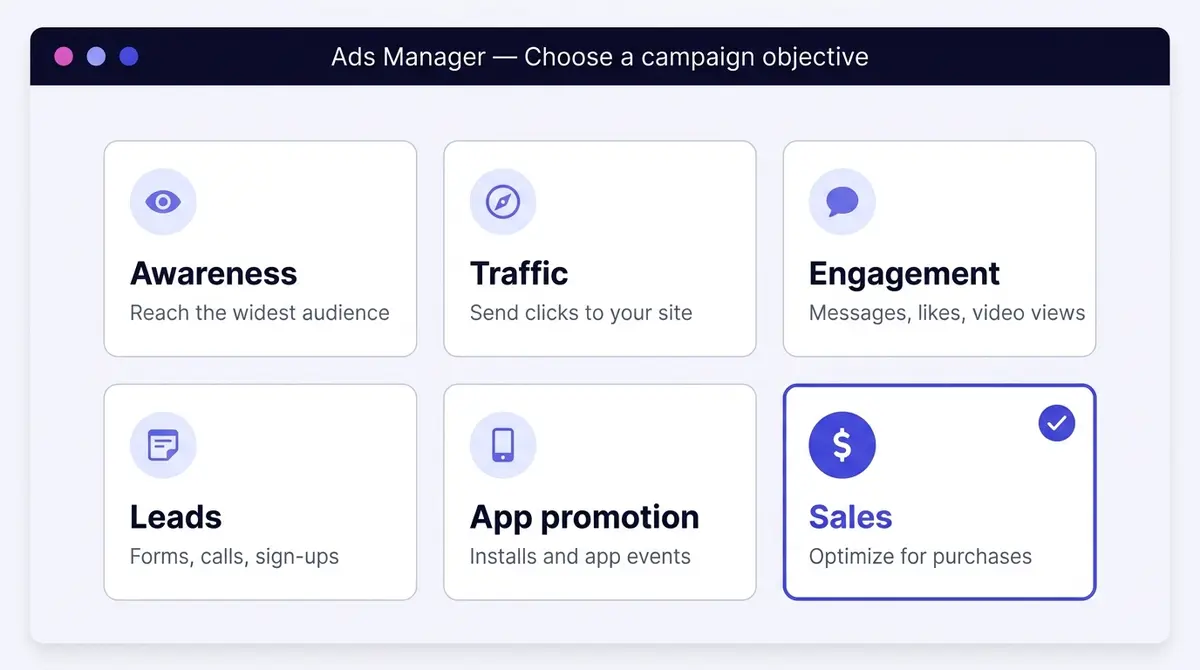
Every campaign starts by telling Meta what success looks like. The current objectives group into Awareness, Traffic, Engagement, Leads, App promotion, and Sales. The objective is not a label, it is the instruction Meta optimizes toward, so match it to the action that makes you money. For an ecommerce store that almost always means Sales, optimized for purchases, not traffic or engagement that looks busy but never checks out.
In 2026 the Sales, Leads, and App objectives default to Advantage+, Meta's automated campaign setup, which now passes a $20 billion annual run rate. Advantage+ hands the audience, placement, and budget decisions to the algorithm. You can still build a manual campaign when you need tight control, but the platform is clearly steering toward automation, and it rewards advertisers who feed it strong creative over those who micromanage the dials.
Why creative now drives delivery: Andromeda and GEM
It helps to know what is actually doing the targeting once you hand it over. In December 2024, Meta detailed Andromeda on its engineering blog: a personalized ads retrieval engine, built on NVIDIA Grace Hopper hardware, that scans millions of candidate ads to surface the relevant ones for each person. Meta reported it lifted retrieval recall by 6% and ad quality on selected segments by 8%, with model capacity scaled up to 10,000 times the prior system. In November 2025 Meta added GEM, a generative recommendation model that ranks the ads Andromeda retrieves, which Meta reported raised ad conversions by 5% on Instagram and 3% on Facebook Feed. Retrieval finds the candidates, GEM scores them, and Advantage+ spends against the result.
The practical takeaway is the thread running through this guide. As the system reads your creative and conversion signal to decide who sees the ad, the manual levers that used to win (stacked interests, hand-picked placements) matter less, and the creative and the data you feed it matter more. You are not fighting the algorithm, you are supplying it.
Step 2: Set the budget, audience, and placements
Budget comes first, and the first fork is where it lives. With Advantage campaign budget (the setting many advertisers still call CBO) you set one budget at the campaign level and Meta distributes it across your ad sets in real time, pushing spend toward whichever is performing. With ad-set budgets (ABO) you set a separate amount on each ad set for tighter control over how much each audience can spend. Campaign-level budgeting suits a clean, broad setup; ad-set budgeting suits a deliberate test where you want each audience guaranteed a share.
Then choose the pacing. A daily budget spends a steady amount each day, though Meta can spend up to 25% over on a high-opportunity day and balance it back across the week, so do not panic at a single day's overspend. A lifetime budget is a total that Meta paces across a fixed date range, the better choice when a sale has a hard start and end. Either way, start at a level that can realistically gather results, because an ad set starved of budget never learns. Quick arithmetic makes the floor concrete: if a purchase costs you around $10 and the learning phase wants about 50 of them inside a week, a $3 daily budget can never get there. You can scale a winner later; you cannot rescue an ad that never got enough data to prove itself.
Audience is where 2026 looks different from a few years ago, but it still pays to know the three building blocks the automation sits on. Core (or saved) audiences are the manual ones you define by location, age, gender, and detailed interests. Custom Audiences are people who already know you, built from a source you own: website visitors captured by the Pixel you set up earlier, an uploaded customer list, app activity, or people who engaged with your Facebook or Instagram content. Lookalike Audiences are new people who resemble one of those sources, sized from 1% to 10% of a country's population, where 1% is the closest match; seed them off your highest-value customers so the match points at quality.
Advantage+ audience does not replace those, it sits over them: you hand it a Custom Audience or interests as a suggestion, and it treats them as a starting point while looking more broadly for people likely to convert. Broad targeting paired with good creative now routinely beats hand-built interest stacks, but the building blocks still earn their place, because retargeting a website Custom Audience and excluding recent purchasers are exactly the moves automation does not make for you. Leave placements on Advantage+ too, which runs the ad across Facebook, Instagram, Messenger, and the Audience Network and shifts spend toward whatever delivers. As targeting automates, the creative carries more of the weight.
Step 3: Build the creative that actually carries the ad
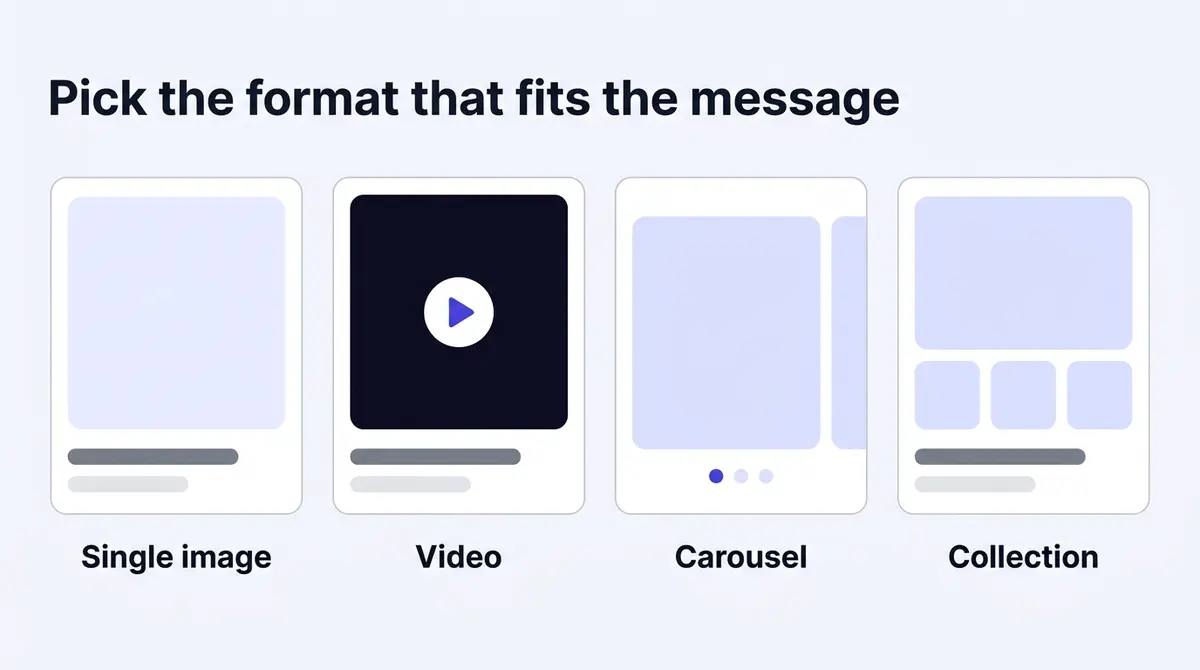
This is the step that decides the result. Pick a format that fits the message: a single image is fast to make and easy to iterate, video earns attention in the feed and in Reels, a carousel suits several products or a step-by-step story, and a collection turns the ad into a mini storefront. Whatever the format, build it mobile-first and vertical (4:5 or 9:16), open with a hook in the first two seconds, and add captions, because most of the feed scrolls with the sound off. A hook is a specific moment or claim, not a logo. Real ad examples show this clearly: a typical testimonial video from skincare brand Bonda Rozita Ibrahim opens on women in their fifties glowing after the brand's viral ginseng serum, a face and a promise before the product says a word.
Get the specs right so the ad renders cleanly everywhere. The numbers drift slightly year to year, so these are the current recommended sizes; design for the two ratios below and you cover the vast majority of delivery.
| Placement | Aspect ratio | Recommended resolution | Notes |
|---|---|---|---|
| Feed (Facebook and Instagram) | 1:1 or 4:5 | 1080 x 1080 or 1080 x 1350 | 4:5 takes more vertical space on mobile without cropping on desktop |
| Stories and Reels | 9:16 | 1080 x 1920 | Full-screen vertical; keep text and logos out of the top and bottom edges |
| Image file | n/a | n/a | JPG or PNG, up to 30MB |
| Video file | matches placement | n/a | MP4 or MOV, up to 4GB; Reels up to 90 seconds, 15 to 30 the sweet spot |
One rule that used to trip up beginners is gone: Meta retired the old limit that capped reach on images with more than 20% text overlay back in 2021, so a bold headline on the image no longer throttles delivery. Heavy text still tends to underperform, so use it with intent, but it is a creative choice now, not a hard gate.
This is also where cost is won or lost. Media stays expensive: Gupta Media's CPM tracker put the average Meta CPM at about $8.19 in 2025, with sharp seasonal spikes around the Q4 peak, so you cannot out-bid your way to efficiency. The lever you actually control is creative quality and freshness. A sharper hook, a cleaner offer, and a steady supply of new variations move cost per result further than any audience tweak, which is exactly why the next two steps matter as much as this one.
Step 4: Publish, then let the ad learn
When you submit, the ad enters review. Most ads are approved within about 24 hours, though some take longer; a rejection usually points to a specific policy, and you can fix and resubmit or request another review. Build in a day of lead time rather than launching an hour before a sale.
When ads get rejected, and how to fix it
Most rejections are avoidable once you know what review checks for. Meta's Advertising Standards flatly prohibit some things (tobacco and nicotine, weapons, illegal products) and restrict others, allowing them only with prior written permission or specific targeting limits. The restricted list is where well-meaning advertisers get caught: alcohol must follow regional rules and cannot target anyone under 18, online gambling and dating ads need prior written permission, cryptocurrency products need it too, and online pharmacies need certification. Health and beauty ads are a common snag because before-and-after imagery and copy that implies a personal attribute ("Struggling with your weight?") are restricted on purpose. If one of those is your business, sort out the permission or certification before you build the campaign.
If an ad is rejected, the notice names the policy it tripped: fix that specific issue (swap the image, soften the copy, adjust the targeting) and resubmit, or request another review if you think it was wrong. Worth knowing for later: editing a live ad's text, image, audience, or format sends it back through review, so a quick tweak can briefly pause delivery.
Once live, the ad set enters the learning phase while Meta's delivery system works out who responds best. It stabilizes after roughly 50 optimization events (purchases, leads, or whatever you optimized for) within about 7 days. Meta counts a change to the audience, the optimization event, the creative, or a large budget or bid swing as a significant edit, and any of them restarts learning and wastes the spend that got you partway. Pausing an ad set for more than 7 days resets it too. Give it enough budget and enough time to exit the phase before you judge it.
Step 5: Read the results, then make the next ad
A live ad is the start of the work, not the end. Watch a small set of numbers rather than every column Ads Manager offers, and know what each one means.
| Metric | What it measures | How to read it |
|---|---|---|
| CTR | Share of people who clicked after seeing the ad | A low CTR usually means the creative or offer is not landing |
| CPM | Cost per 1,000 impressions | Reach getting pricier; you control it mostly through creative quality, not bids |
| CPC | Average cost per click | Rising CPC with steady CTR points at auction competition |
| Cost per result (CPA) | What each purchase or lead costs | The number that decides if the ad is worth running |
| ROAS | Revenue divided by ad spend | Above 1 is gross-profitable in revenue terms; set your own target by margin |
| Frequency | Average times one person saw the ad | Climbing frequency with falling returns is fatigue |
Topline numbers tell you whether an ad works; they do not tell you which part of the creative failed. For that, creative teams watch a second layer of diagnostic metrics (practitioner conventions, not official Ads Manager columns). Hook rate (3-second video views divided by impressions) reads the first two seconds: a low one means the opening did not stop the scroll. Hold rate, how far viewers get through the video, reads the middle, where people start watching then leave. Read alongside cost per result, the two point you at the exact part to rebuild, the hook, the body, or the offer, instead of guessing.
That diagnosis sets up the testing method. Test distinct concepts, not micro-variations: a different hook, a different format, or a genuinely new angle teaches you far more than swapping a headline word or nudging the audience. Two real hijab brands show how far apart concepts sit: a typical Zihaluv ad showcases an instant butterfly hijab in twenty-plus shades, while Hijab Sarung Cantik leans on a hard offer, three simple Raya hijabs for RM100, today only. Product story against price urgency: that is a concept test, a new background colour is not. Isolate one variable so you can read the result cleanly, run a few concepts against each other in the same ad set (three to five is a sensible spread), and let cost per result and the diagnostic metrics call the winner. Tiny A/B tweaks rarely move the needle, because the creative idea, not the punctuation, is what the system and the scroller respond to. A steady supply of genuinely new creative beats a hundred near-identical variants.
Step 6: Scale the winner without resetting it
When an ad set is profitable and out of the learning phase, the instinct is to pour budget in. Do it too fast and you re-trigger learning, because a large budget jump is a significant edit, so you reset the very ad set that was working. The common practitioner approach (guidance, not a Meta-published number) is to raise the budget in roughly 20% increments every few days, giving delivery time to re-stabilize between bumps. The alternative is to duplicate the winning ad set and run the copy alongside the original, which leaves the proven one untouched while the duplicate finds its footing. Either way, batch your edits and judge each move on a few days of data, not a few hours.
The fix for a decaying ad, though, is almost never a new audience, it is a new ad. Because fresh creative is the fastest lever on cost, the real cadence is a loop: research the angles already working, generate the next variation on-brand, edit the video and the static, launch to Meta, then read the result and feed it into the next round. A platform like AdPlay.ai keeps that whole loop in one place, but the principle holds with any workflow: the advertisers who compound results are the ones who turn each read into the next test, fast.
By the numbers
Frequently asked questions
How much does it cost to run a Facebook ad?
There is no fixed price. You set a daily or lifetime budget in your ad account's currency and can start from a few dollars a day, then pay per result in an auction. What a result costs depends on your industry, audience, and creative. As a benchmark, Gupta Media's CPM tracker put the average Meta (Facebook and Instagram) CPM at about $8.19 in 2025, and WordStream's data put a traffic click at around $0.70. Treat those as reference points, not quotes, because your creative moves them more than anything else.
What is the difference between a campaign, an ad set, and an ad on Facebook?
They are the three levels of every Facebook ad. The campaign holds the objective (what you are optimizing for, like Sales) and the Advantage campaign budget if you turn it on. The ad set holds the audience, placements, schedule, optimization event, and (in a manual setup) the budget. The ad holds the creative itself: the image or video, the primary text, the headline, and the call-to-action button. You build top down, choosing the objective first and the creative last.
What is Meta Andromeda and how does it change running ads in 2026?
Andromeda is Meta's ads retrieval engine, announced on the Meta Engineering blog in December 2024 and built on NVIDIA Grace Hopper hardware. It is the stage that scans millions of candidate ads to pick the relevant ones for each person, feeding Advantage+ delivery. In November 2025 Meta added GEM, a ranking model that scores the retrieved ads. The practical effect for advertisers is that the system leans harder on signals from the creative and the conversion data you send it, which is why strong creative and clean tracking matter more than manual targeting in 2026.
What is the difference between a Custom Audience and a Lookalike Audience?
A Custom Audience is people who already know you, built from a source you own: website visitors captured by the Pixel, an uploaded customer list, app activity, or people who engaged with your Facebook or Instagram content. A Lookalike Audience is new people who resemble one of those sources. You pick a size from 1% to 10% of a country's population, where 1% is the closest match to your seed. Seed a Lookalike off your highest-value customers, not all buyers, so the match points at quality.
What is the Facebook ad learning phase?
After you publish or significantly edit an ad set, Meta's delivery system explores who responds best. The ad set exits the learning phase once it gathers about 50 optimization events (a purchase, a lead, or whatever you optimize for) within roughly 7 days. Editing the audience, optimization event, or creative during this window counts as a significant edit and restarts the phase, so avoid frequent changes until it stabilizes.
Should I use an Advantage+ campaign?
Usually yes for ecommerce. Advantage+ is Meta's automated campaign setup, and by 2026 it is the default for the Sales, Leads, and App objectives, with the company reporting it passed a $20 billion annual run rate. It hands budget, audience, and placement to the algorithm, which performs well when you feed it several strong creatives. Manual campaigns still earn their place when you need tight control over specific audiences or budget splits.
Image, video, or carousel: which format works best?
It depends on the goal, and the only reliable answer is to test. Short vertical video tends to win attention in the feed and in Reels, carousels suit multi-product or step-by-step stories, and a single strong image is fast to produce and easy to iterate. Run a few formats against each other in the same ad set and let the results decide rather than committing to one upfront.
Why is my Facebook ad not spending or delivering?
Common causes are that the ad is still in review, the audience is too narrow, the budget is too low to exit the learning phase, the bid or cost cap is set too tight, or the creative has fatigued and Meta has throttled delivery. Broadening the audience, raising the budget, loosening a cost cap, or refreshing the creative usually restarts delivery.
Sources
- 1.DataReportal, Essential Facebook Statistics and Trends (2026)
- 2.WordStream, Facebook Ads Benchmarks 2025 (CPC by industry) (2025)
- 3.Gupta Media, Social Media Ads Cost and CPM Tracker (2025)
- 4.AdExchanger, Meta Q4 Earnings and Advantage+ Growth (2025)
- 5.Search Engine Land, Facebook Ad Costs in 2025 (2025)
- 6.Engineering at Meta, Andromeda Personalized Ads Retrieval Engine (2024)
- 7.Engineering at Meta, GEM Generative Ads Recommendation Model (2025)
- 8.Meta for Developers, Meta Pixel Conversion Tracking (2026)
- 9.Meta for Developers, Meta Pixel Helper (2026)
- 10.Transparency Center, Meta Advertising Standards (2026)
- 11.Meta Business Help Center, About the Learning Phase (2026)
- 12.Sprout Social, Social Media Image Sizes Guide (2026)
- 13.Amazon Ads, How to Calculate Return on Ad Spend (ROAS) (2026)
Keep exploring
Turn ad research into winning ads
Research the ads that work, generate the creative on-brand, and launch to Meta, all in one tool.
7-day free trial · No credit card required