
Video ads (experimental)
Try video ads after your image ads work
Video ads in AdPlay.ai are still experimental. See when to try one, which plan you need, and how to make one from a winning ad or from clips you filmed.
Updated November 2026 · AdPlay.ai Team
Video ads in AdPlay.ai are highly experimental, so make image ads first. Video opens once you have made 3 image ads in the Ad Generator, and making a video ad needs a paid plan. If you already filmed your own clips, go to Ads, tap New Ad, then Or start from your own clips, and AI Auto Edit cuts them into one video.
Use this page when your image ads already run on Meta and you want to test one video beside them. Video ads take many more credits than image ads, and the AI parts can still look or sound wrong. So in AdPlay.ai, video comes last. If you have not made image ads yet, start with Make your first image ads.
Before you start
- Make image ads first. Video opens after you make 3 image ads in the Ad Generator. Until then, the video choice shows Make 3 image ads first. Only image ads from the Ad Generator count, in the team you are working in.
- A paid plan. Starter, Pro and Agency can make video ads, AI video clips included. The free trial cannot.
- Credits. Plans & Pricing shows about how many credits one video ad uses. Check your balance in the header before you start.
- A clear winner to build on. The best video test repeats the offer and angle of an image ad that already sells.
Make a video ad in the Ad Generator
- Open Ad Generator and pick your product, as you do for image ads.
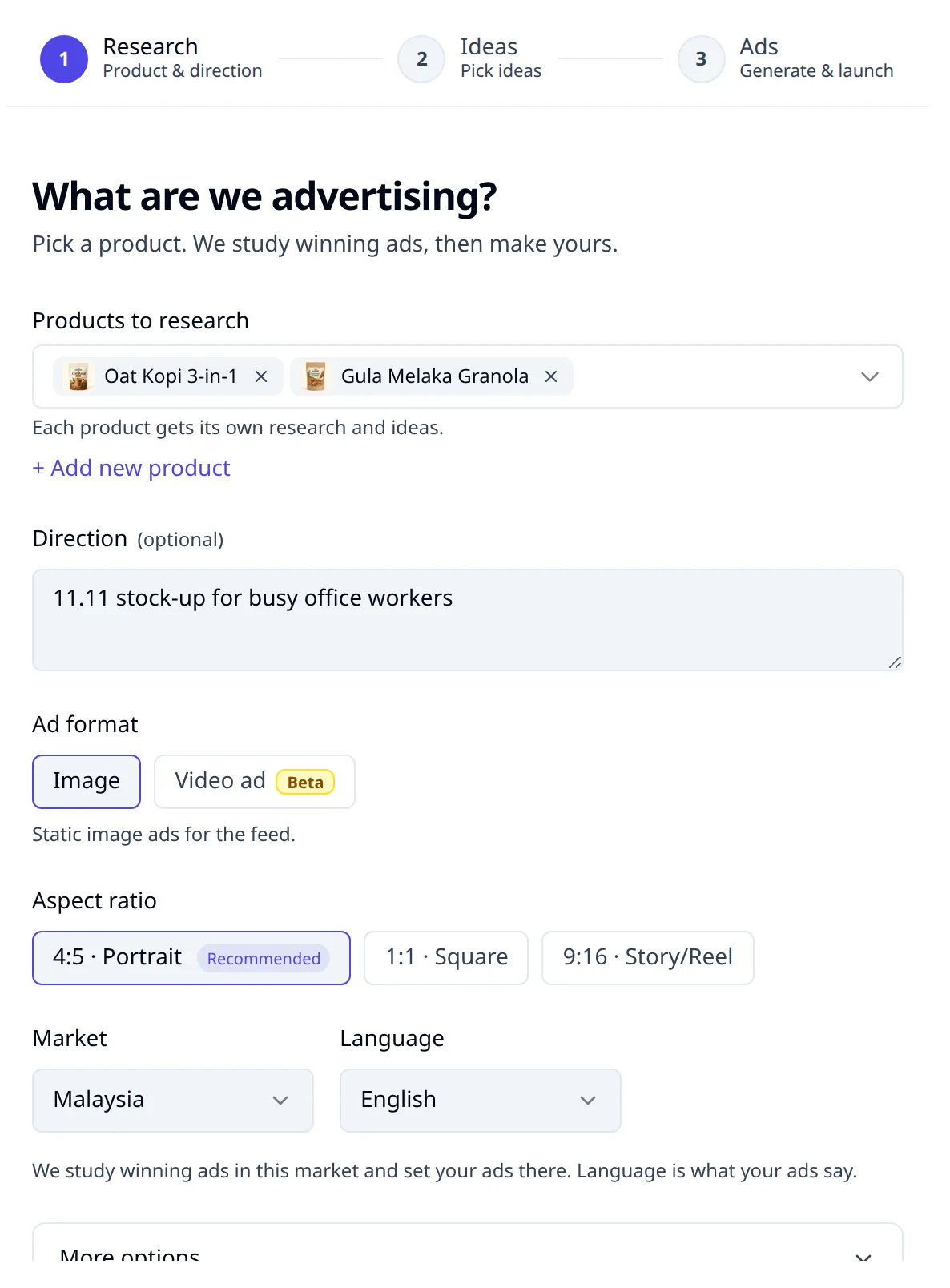
- Under Ad format, pick Video ad. It has a Beta badge. The aspect ratio choice goes away.
- Tap Research my market. A warning opens: Video ads are highly experimental. It says the voiceover may not sound natural, people's movements can feel AI-made, and it shows about how many credits a video ad uses.
- Tap Research my market in the warning to go on. You get an ideas board, as with image ads.
- Pick a video idea and tap Generate (the button says how many video ads you picked).
- A window asks How it's made. Pick Step by step to check the script and the storyboard before any clip is filmed, or Auto to make the whole video in one go. For your first video, pick Step by step. Then tap Write the script (or Make the video for Auto).
- Each idea becomes a video ad with its own page and four steps: Script, Storyboard, Making and Done. Read every line of the script aloud and change what does not sound like your shop before you go on.
- When the video is done, launch it like any ad with Launch (see Launch your ads).
You can also start from a competitor's video. In the Ad Library, open a video ad marked Has script and tap Create similar video ad. The same 3 image ad lock applies.
Start from your own clips
This way suits you if you or a creator already filmed footage: a product demo, a customer talking, your team packing orders. It has no 3 image ad lock.
- Upload your clips to Assets first. AdPlay.ai looks through each clip, so the right one can go into each scene.
- Go to Ads and tap New Ad. The Create an ad window opens.
- Tap Or start from your own clips at the bottom. A blank video ad opens.
- Write the words for each scene.
- Add a clip to each scene. Upload one, or pick one from your Assets.
- When every scene has a clip, run AI Auto Edit. It cuts your clips into one video. This usually takes a few minutes, and you can leave the page while it works.
Each paid plan includes some hours of footage looked through each month. Plans & Pricing lists the hours for your plan.
Tips
- Test the video beside your best image ad, not in place of it. Change one thing at a time so you know what made the difference. The lesson Test one change shows how.
- Keep it short and lead with the hook. For lengths and a script you can fill in, read how long a Facebook video ad should be and the video ad script template.
- Film the real product. A phone video of your product in use shows what the buyer gets. How to make UGC ads covers a simple shoot.
- Watch it once with the sound off. If the video makes no sense without sound, fix the script.
What to do next
Once the video runs, compare it with your image ads in Insights. If the image ads still win, put your credits there and try video again with a new angle later.
Frequently asked questions
Why is the Video ad option locked?
Video opens after you make 3 image ads yourself in the Ad Generator, in the team you are working in. Image ads made in other ways, and ads that failed, do not count. Hover over the lock to see how many you have made.
Can I make a video ad on the free trial?
No. Every step of a video ad needs a paid plan: Starter, Pro or Agency. The trial is for image ads.
Do I need the 3 image ads to use my own clips?
No. Or start from your own clips in the Create an ad window has no lock. You still need a paid plan to cut the video.
How many credits does a video ad use?
Many more than an image ad. Plans & Pricing shows about how many credits a video ad takes from your own clips, and with AI clips. The warning before a video research shows the estimate too.
Keep exploring
Turn ad research into winning ads
See what 16,000 Malaysian brands advertise, then generate on-brand creative, all in one tool.
7-day free trial · No credit card required