
Make ads
Make your first image ads
Step by step: pick a product in the AdPlay.ai Ad Generator, research your market, pick ideas from the board, check the offer and photos, then make your ads.
Updated November 2026 · AdPlay.ai Team
Open the Ad Generator, pick one product and press Research my market. AdPlay.ai studies winning ads in your market and gives you an ideas board, most ideas built on a real winning ad. Tick the ideas you like, check the offer and photos, and press Generate. Each image ad is ready in about 2 to 4 minutes.
Use the Ad Generator when you want new ads for a product and you do not have one ad in mind to copy. It looks at the ads already winning in your market first, then gives you several ideas to choose from. This is the best place to start if you are new to AdPlay.ai.
Before you start
The research reads your Brand Kit and your product, so check both first:
- Your brand is set up in Brand Kit. Without it, the Ad Generator shows "Set up your brand first."
- Your product is in Products & Services with its name, price and good photos. Add a product if it is not there yet. You can also press + Add new product inside the Ad Generator.
The guide Set up your brand covers both.
Step 1: Set up the research
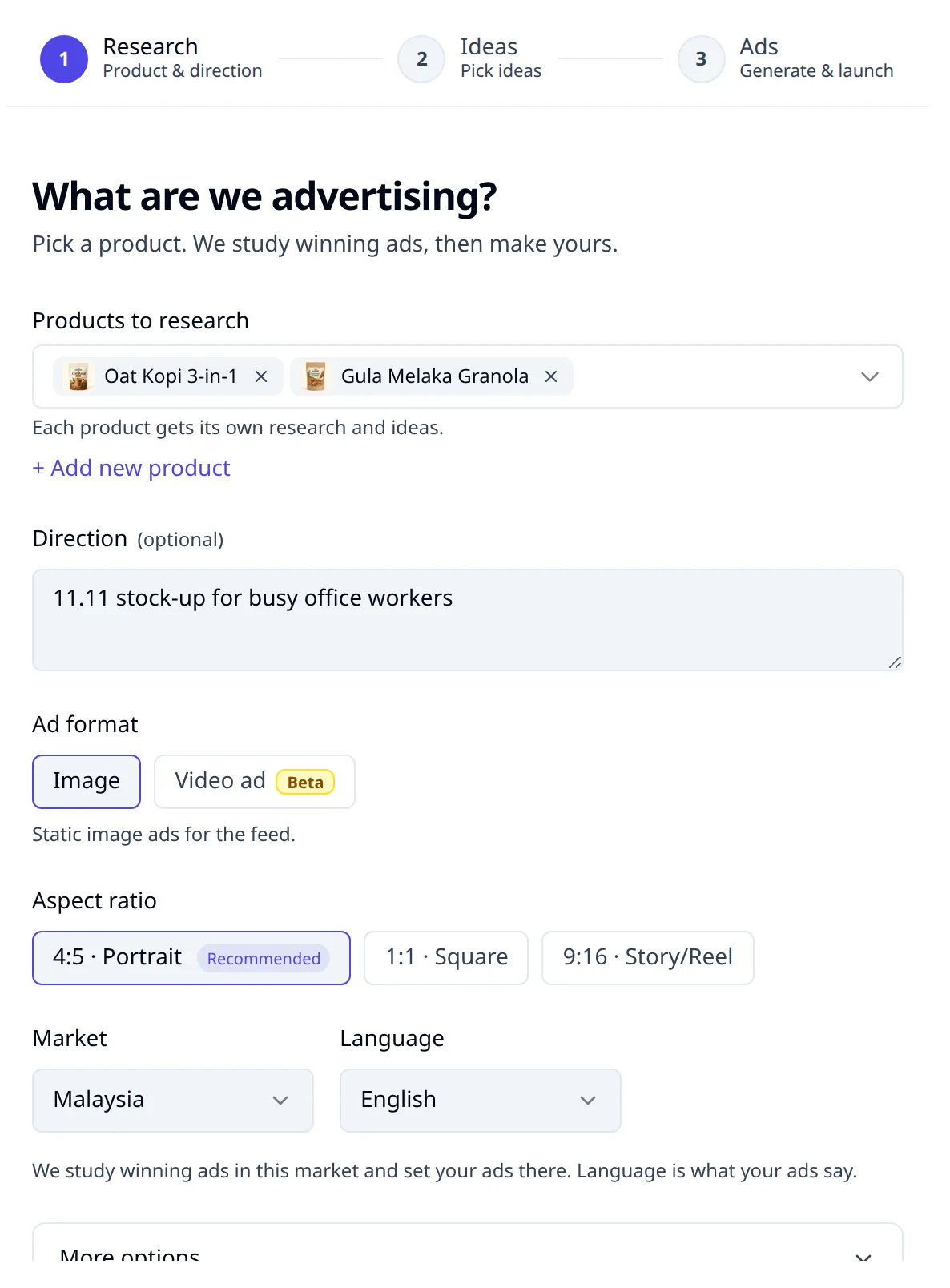
- Open Ad Generator in the sidebar. Press New generation. The first time, it opens straight away. You see three steps at the top: Research, Ideas and Ads.
- Under Products to research, pick one or more products. A paid plan can research up to 6 at once. Each product gets its own research and ideas, and each one costs about 150 credits. The trial researches one product.
- In Direction, type an angle if you have one, for example "11.11 sale" or "Raya gift for parents". Leave it empty to let the research choose.
- Under Ad format, keep Image. Video ad stays locked until you have made 3 image ads.
- Under Aspect ratio, keep 4:5 · Portrait, marked Recommended. It fills more of a phone screen than a square. Pick 9:16 · Story/Reel only if the ads are for Stories and Reels.
- Set Market and Language. The market decides whose winning ads are studied and where your ad is set. The language is what your ad says: English, Malay, or Chinese (simplified or traditional).
- Press Research my market. The price shows under the button, with the credits you have left.
You now see "Researching your market" and how long it usually takes. Ideas appear on the screen as they are found. You can pick them when the research finishes.
Step 2: Pick your ideas
When research ends, you see Pick ideas and a board of idea cards. Each card shows the winning ad it is built on, a tag such as Winning pattern or Competitor gap, and how long that ad has run.
- Read each card. Press Details › to see the full ad, who the idea is for, and its hook.
- Tick the ideas you want. Pick 2 or 3 different angles, not 3 versions of one angle.
- Check the bar at the bottom. It shows how many ideas you picked and the price in credits (on the trial, your trial ads left).
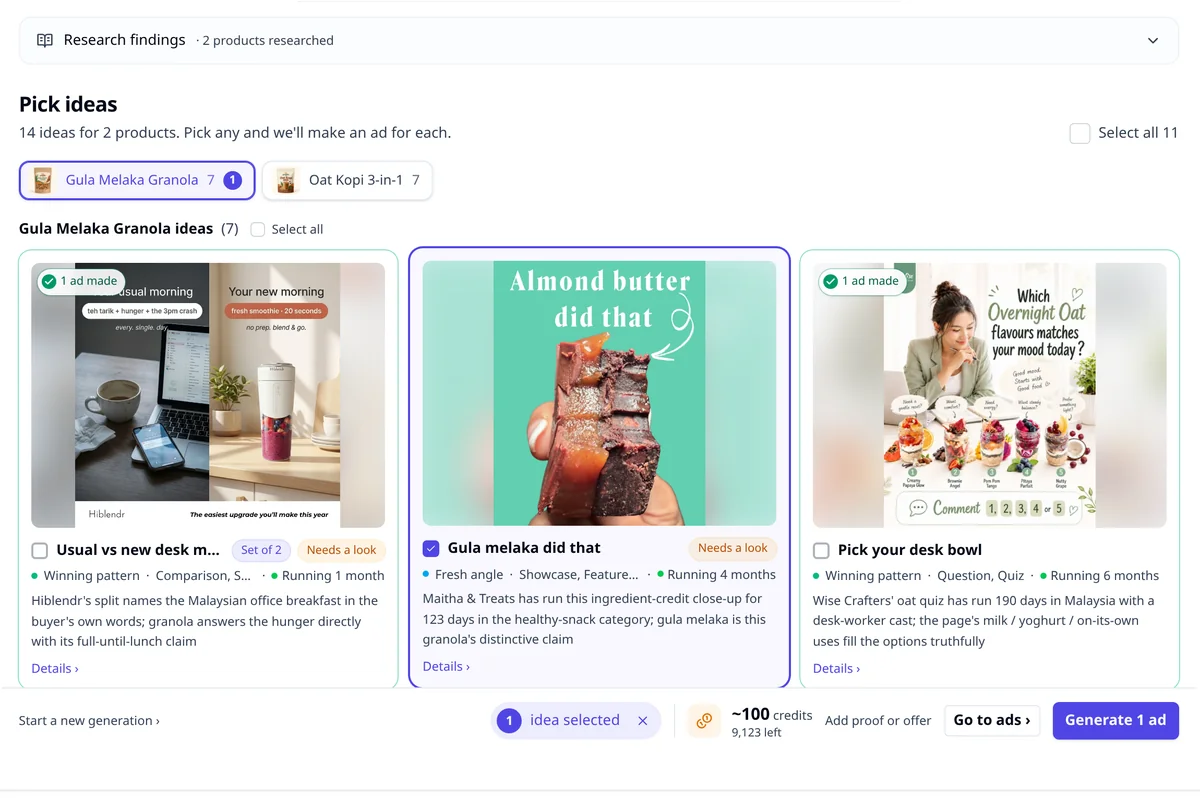
The guide Read the ideas board explains every tag.
Step 3: Check the offer and photos
- Press the main button at the bottom. It reads Generate 3 ads when you picked 3 ideas.
- If an idea needs a check, a window opens first. This happens when an idea needs a customer review, a real number or an offer you have not confirmed yet, when it is a set idea, or when you made it before. Otherwise your ads start straight away.
- In the window, AdPlay.ai has already ticked lines from your product page. Untick anything that is not true today.
- If it asks for your offer, type the one you are running, for example "Buy 2, save RM 30". Leave it empty and the ad shows no price or discount.
- Press + beside the field to add a picture, such as a customer photo. Write a short note under How to use it.
- Press Generate 3 ads.
To check the offer and reviews even when the window does not open, press Add proof or offer at the bottom before you generate.
Step 4: Review your ads
You move to the Ads step. Each new ad shows "Rendering" and "Usually takes 2 to 4 minutes. You can keep working."
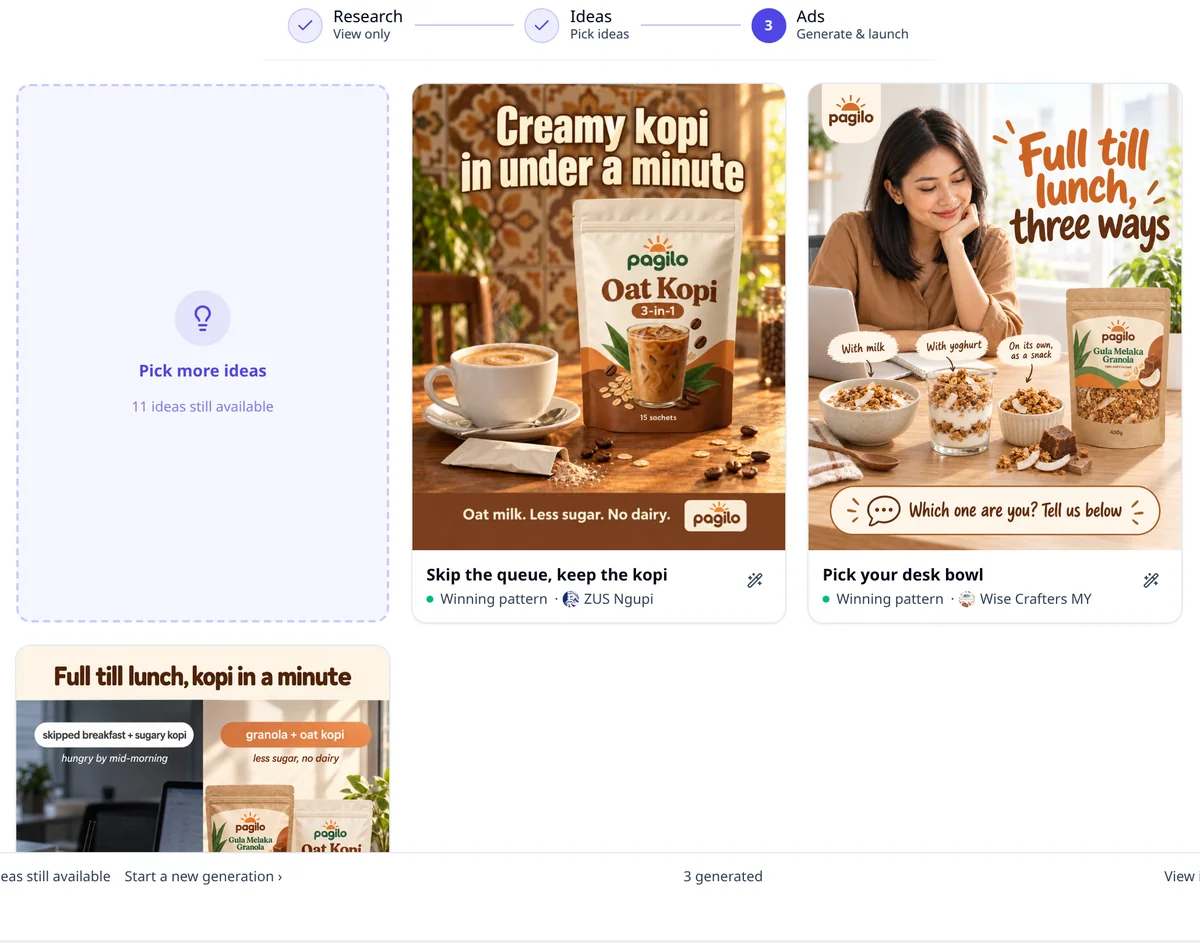
- Press a finished ad to see it larger, with its headline and primary text.
- Press Open ad to go to the ad's own page, or Edit copy to change the text.
- Press View in Ads › at the bottom to see all your ads in one list.
- If an ad in the list shows 2 versions, press Pick one to see both beside the reference ad, then keep one or press Keep both as two ads.
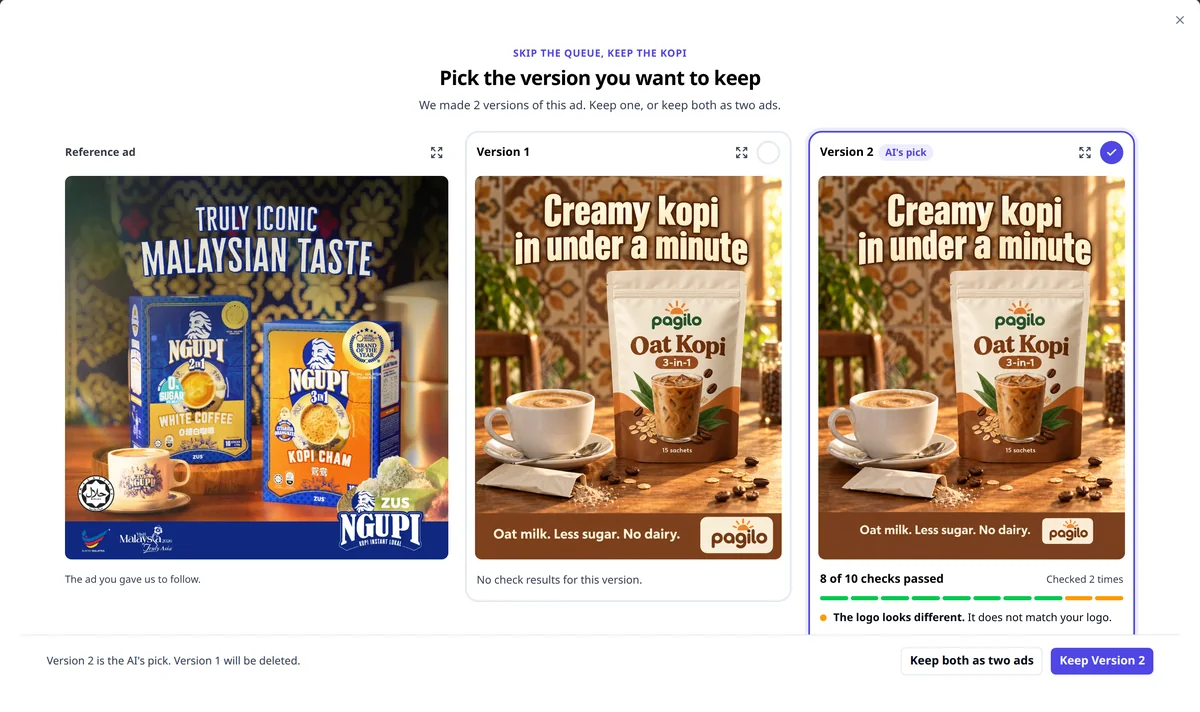
Check every ad before it runs:
- The product looks like your real product: the shape, colour and label.
- The price and offer match what you sell today.
- Your brand name is spelled right, and every claim is true.
- The words are easy to read on a phone.
Common mistakes
- Leaving a sample review in the ad. If your page has no reviews, the ad may use a sample quote. Replace it with a real one before the ad runs. See Proof and reviews.
- Picking every idea. Each ad costs credits. Start with 2 or 3 angles, launch them, and let the results decide.
- Old photos or prices. The ad uses what is in Products & Services. Update it there first.
What to do next
Fix small things on one ad with Ask AI. When you are happy, launch your ads to Facebook and Instagram.
Frequently asked questions
How many ads can I make on the free trial?
The free trial includes one research on one product and 2 image ads. To make more ads, or to research more ideas, pick a paid plan.
How many credits does the Ad Generator use?
Research is about 150 credits for each product, and each image ad is about 100 credits. The price shows beside the button before you spend anything, with the credits you have left.
Can I make a video ad instead?
Start with image ads. The Video ad format stays locked until you have made 3 image ads in the Ad Generator. It is still in Beta and needs a paid plan.
Can I change the market or language after research?
No. Once research has run, its settings are locked. Press Start a new generation to research the same product for another market or language.
Keep exploring
Turn ad research into winning ads
See what 16,000 Malaysian brands advertise, then generate on-brand creative, all in one tool.
7-day free trial · No credit card required